
PulseBridge
Real-time heart rate from AirPods Pro 3 to your fitness equipment, without a chest strap.
PulseBridge turns your iPhone into a standard Bluetooth heart rate monitor. Peloton, NordicTrack and other equipment that accepts a chest strap can use it.
Requires iPhone with iOS 26.1 or later, and AirPods Pro 3.
How it works
Hover or tap a numeral to find it in Fig. 1. The privacy policy has the full detail.
- 10
- AirPods Pro 3. Their heart rate sensor measures your pulse during a workout
- 16
- Apple Health. Passes the heart rate to PulseBridge, with your permission
- 12
- iPhone running PulseBridge. Shows your live heart rate and broadcasts it as a standard heart rate monitor
- 18
- Bluetooth heart rate signal. The same standard signal a chest strap sends. It can begin before you tap Start
- 14
- Your equipment. Peloton, NordicTrack, or any Bluetooth heart rate-compatible device
- 20
- Other Bluetooth devices in range. The signal needs no pairing, so they may be able to read it while the app is running
- 22
- SJSR Labs. No line reaches us. We never receive your health data
See it running
Getting started
-
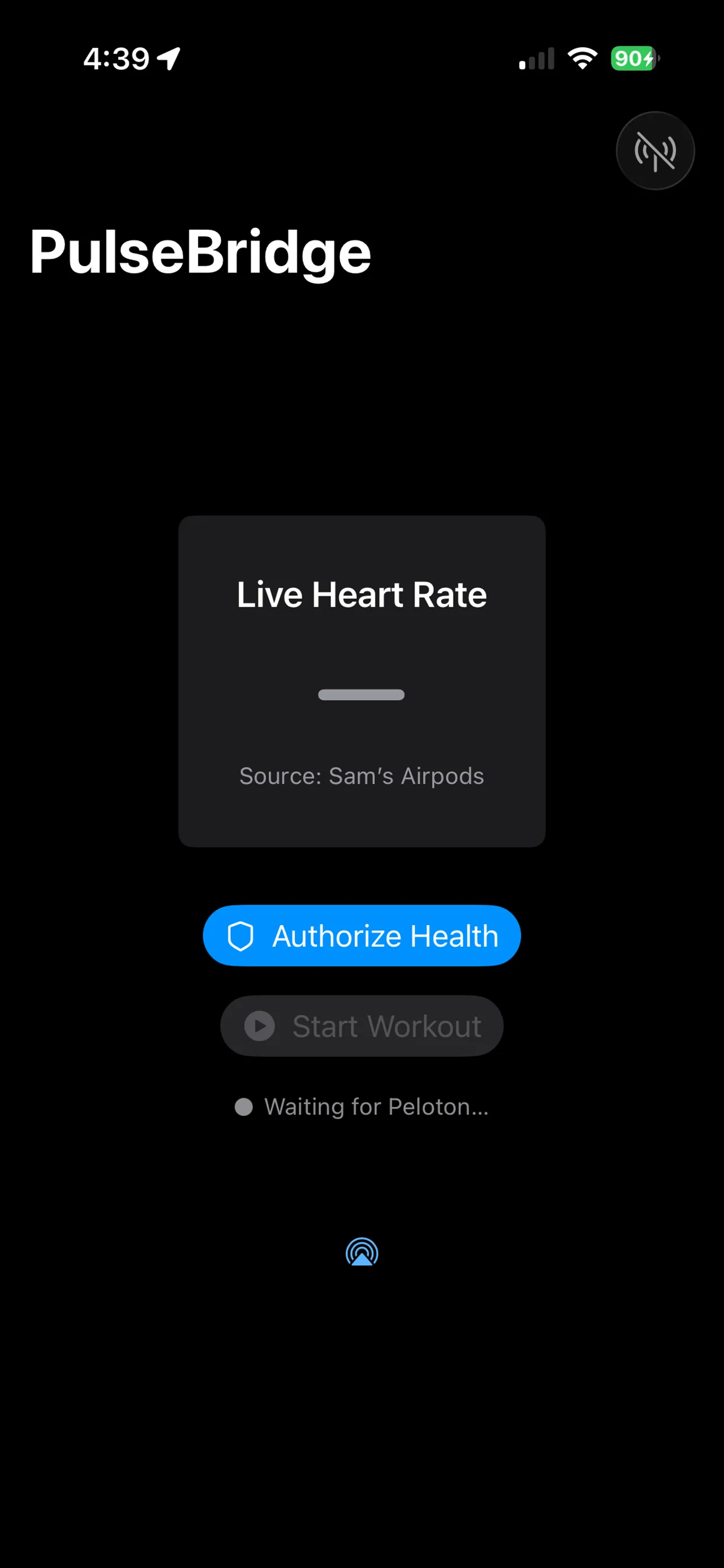
Allow Apple Health access
Enable heart rate and workout permissions so PulseBridge can read sensor data from your AirPods.
-
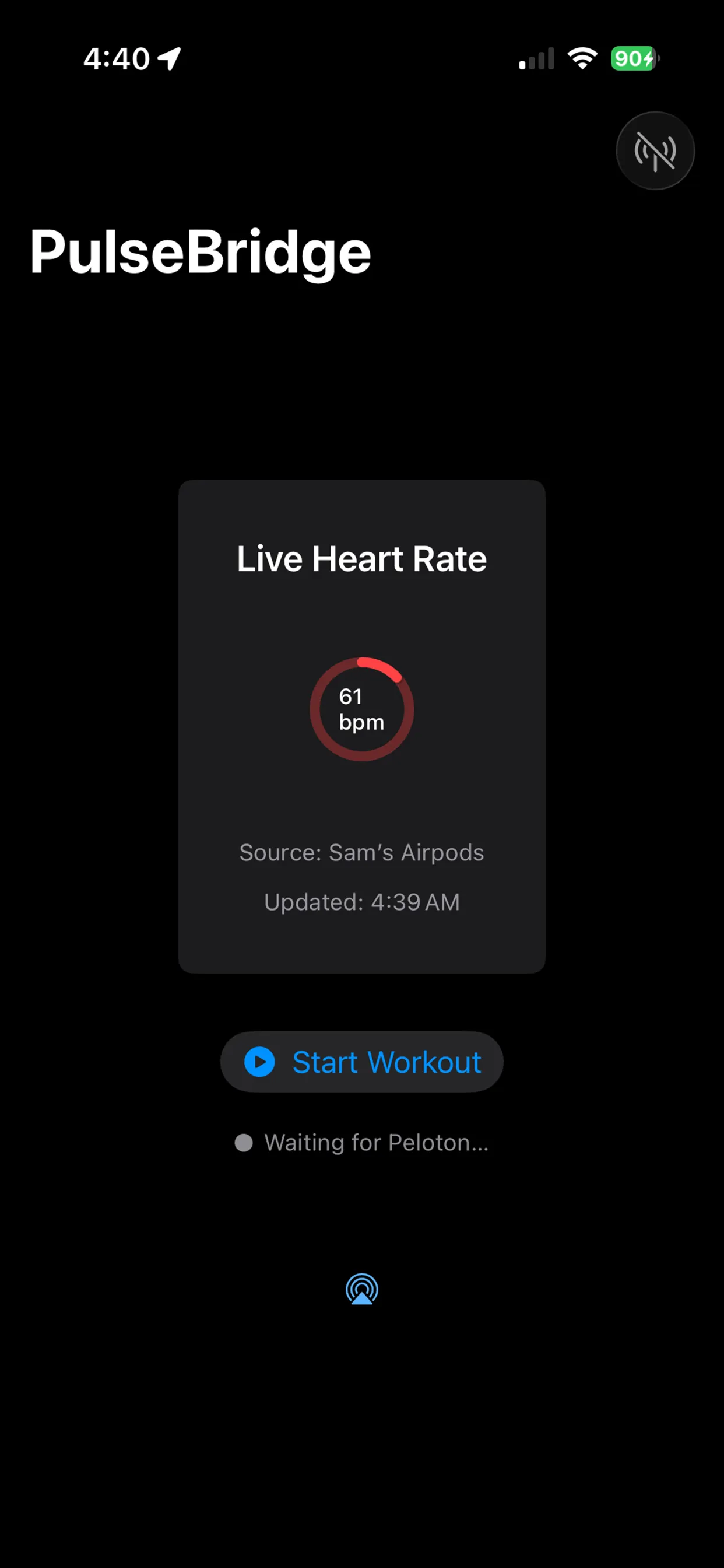
Wear AirPods Pro 3 and start a workout
Ensure both AirPods are firmly seated to maintain a heart rate lock. Then tap Start Workout inside the app.
-
Enable Bluetooth access
This allows PulseBridge to act as a virtual heart rate monitor and broadcast to external equipment.
-
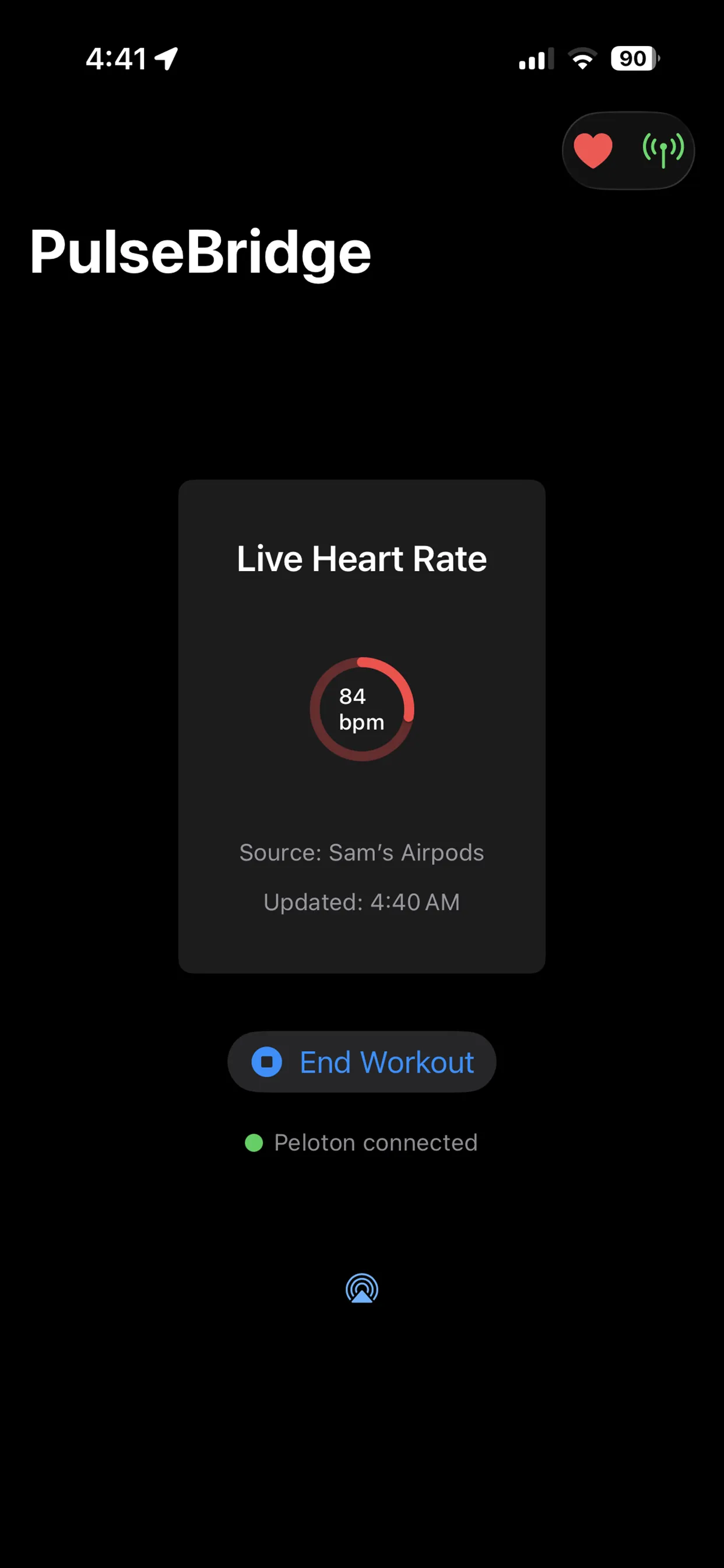
Connect on your equipment
Go to the Bluetooth settings on your bike or treadmill. PulseBridge will appear automatically as a heart rate monitor.
Using a Peloton? Read the guide: How to use AirPods Pro heart rate with Peloton.
Questions
- Why doesn’t my equipment see the heart rate signal?
- Verify Bluetooth is enabled on your iPhone and both AirPods Pro 3 are in your ears with a proper seal. Make sure you have tapped "Start" in PulseBridge.
- Does this work with Peloton?
- Yes. Open the Heart Rate Monitor menu on your Peloton screen while PulseBridge is active, and it will appear in the list of available devices.
- Do I need AirPods Pro 3 specifically?
- Yes. PulseBridge utilizes Apple’s real-time heart rate API, which is exclusive to the hardware found in AirPods Pro 3.
- How do I stop the broadcast?
- Close the app or turn off Bluetooth. While PulseBridge is running, it keeps advertising so your equipment can reconnect between workouts.
Still stuck? Email [email protected] or see Support.